
| User Roles |  Admin Admin |  Staff contributor Staff contributor |  External Contributor External Contributor | ✗Pulse user |
Use this guide to enable retained earnings calculation for client files with a Belgian address. This article is intended for firms operating in the UK, Netherlands, and Luxembourg, where retained earnings calculations are required.
Table of contents
- Why is retained earnings disabled for Belgian client files?
- How do I enable retained earnings for a Belgian client file?
- Retained earnings in sync files versus manual files
- Good to know
Why is retained earnings disabled for Belgian client files?
- Belgian companies typically do not require retained earnings calculations. For that reason, retained earnings are disabled by default for client files with a Belgian address.
- This can cause issues for firms that use retained earnings in other markets, such as the UK, the Netherlands, or Luxembourg. If a company is registered in Belgium but has business activity in one of these markets, the retained earnings calculation is blocked by default.
- To support these scenarios, you can manually enable retained earnings for specific Belgian client files.
How do I enable retained earnings for a Belgian client file?
Steps
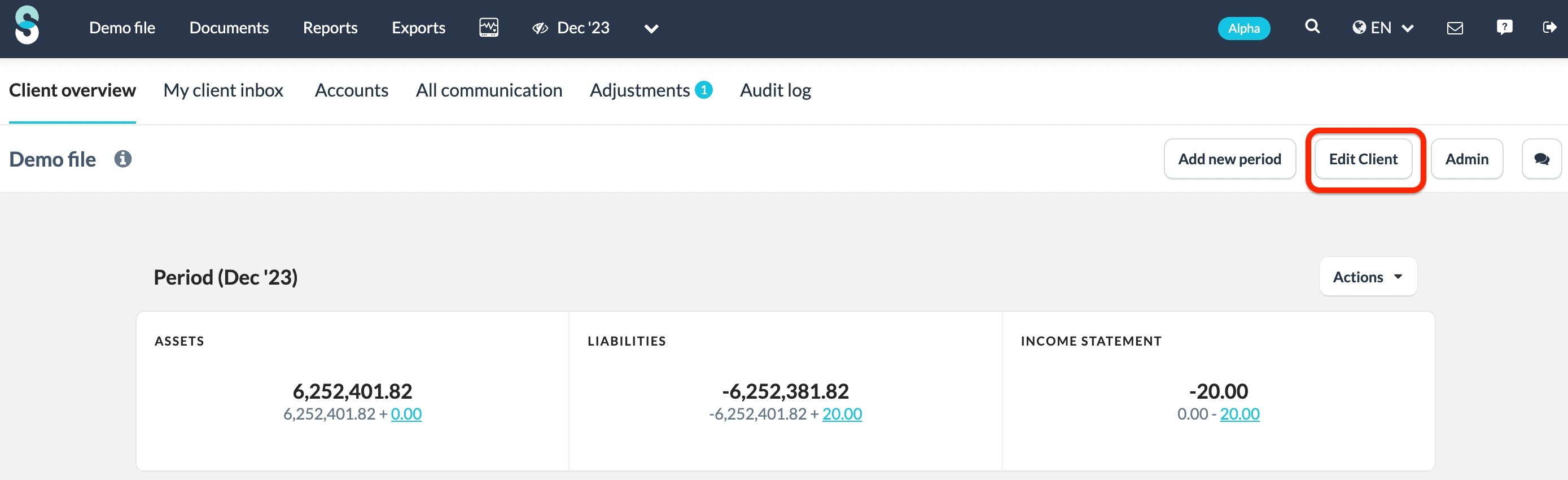
- Navigate to the Edit client button on the client file overview page.
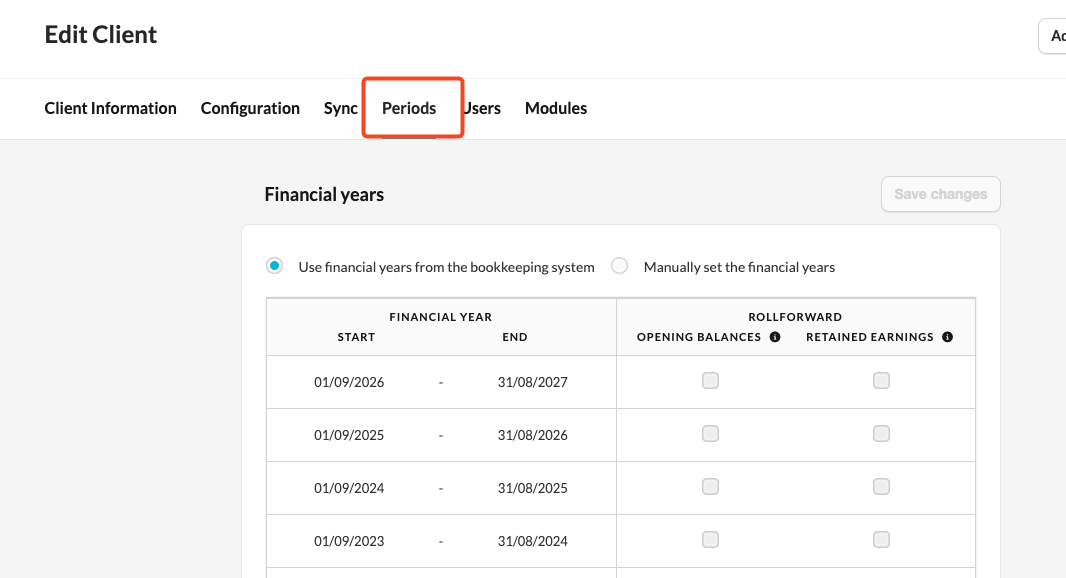
- Click on the Periods tab.
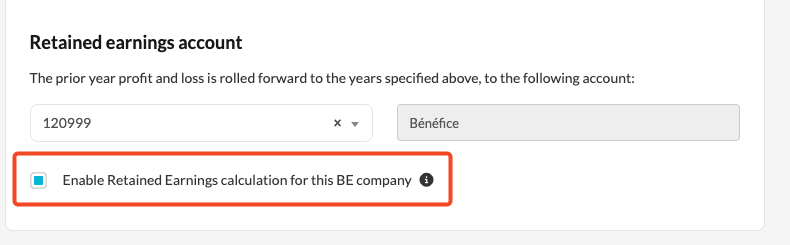
- Scroll down to the Retained earnings account section.
- Select the checkbox Enable the retained earnings calculation for this BE company.
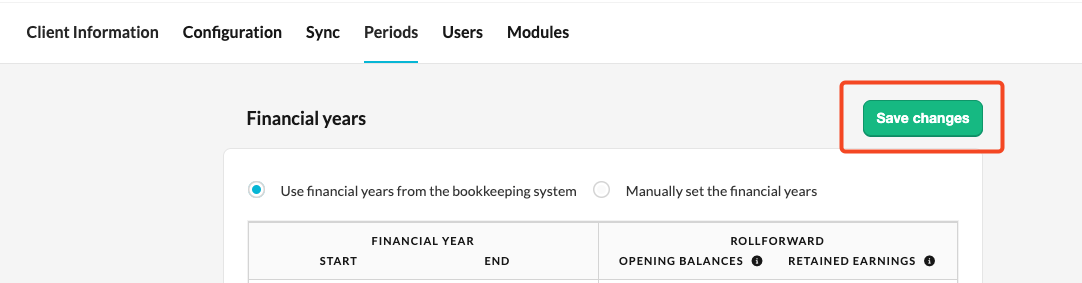
- Click Save changes.
Retained earnings in synced versus manual client files
For synced client files such as Odoo or Xero:
- The retained earnings account is assigned automatically.
- The calculation runs after you save your changes.
For manual client files:
- After enabling the checkbox, select the retained earnings account from the dropdown.
- A new Retained earnings column then appears in the periods table.
- Choose the years for which you want to run the calculation.
Note: Processing time depends on the size of the client file.
Good to know
- This option is only visible when retained earnings are available in your firm and the client file has a Belgian address.
- The checkbox is unchecked by default for all Belgian client files.
- This feature is designed for firms operating across multiple markets where a company is registered in Belgium but still requires retained earnings calculation.