
| User Roles |  Admin Admin |  Staff contributor Staff contributor | External Contributor | Pulse user |
If you have forgotten your password, there is an easy way to reset it and get back to work. These steps apply to the original Silverfin login screen only. If your firm has already moved to Visma Connect, follow How do I reset my password? (Visma Connect) instead.
How do I reset my password on the login screen?
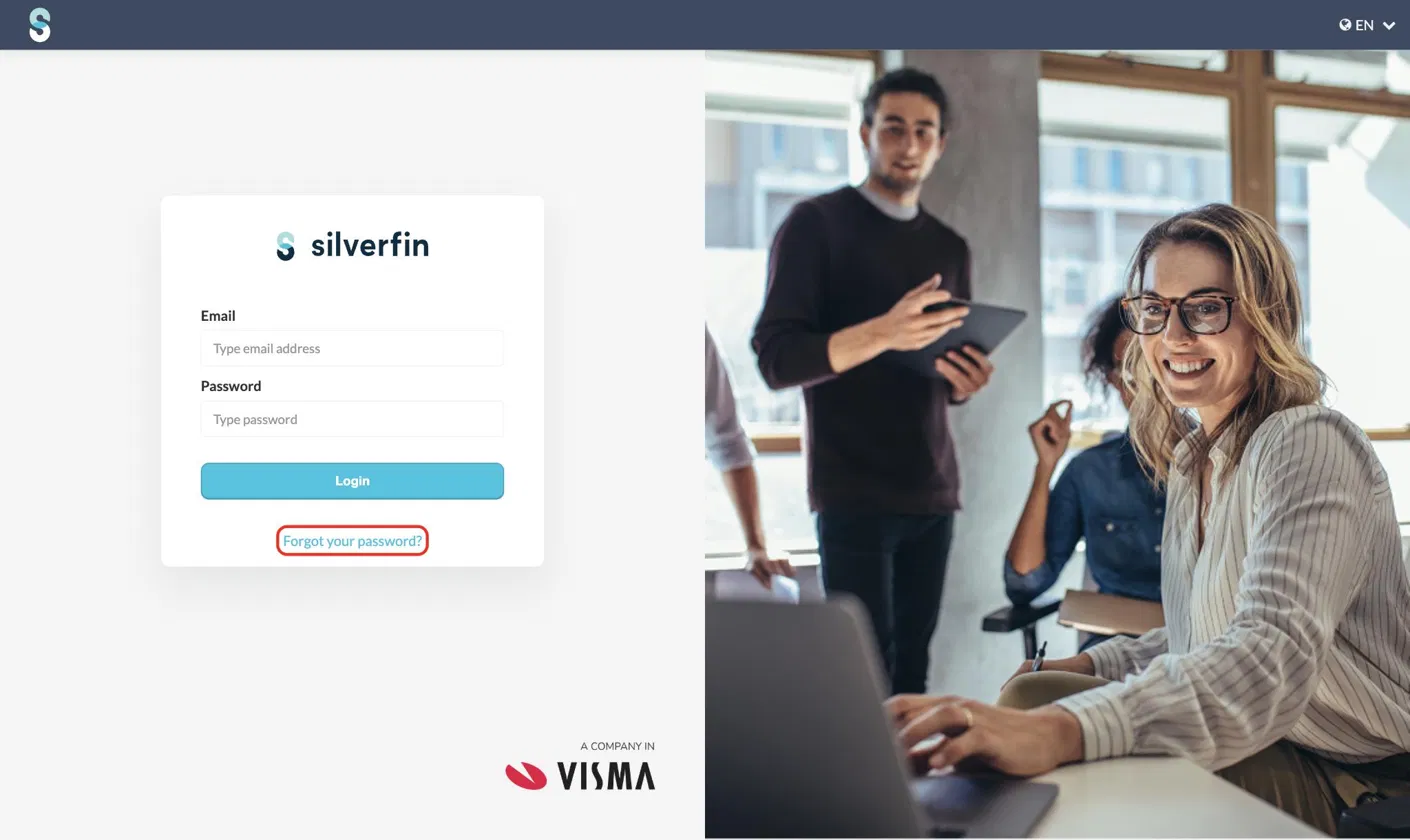
- On the login screen, click the button Forgot your password?
- Enter your email address and click Send reset instructions.
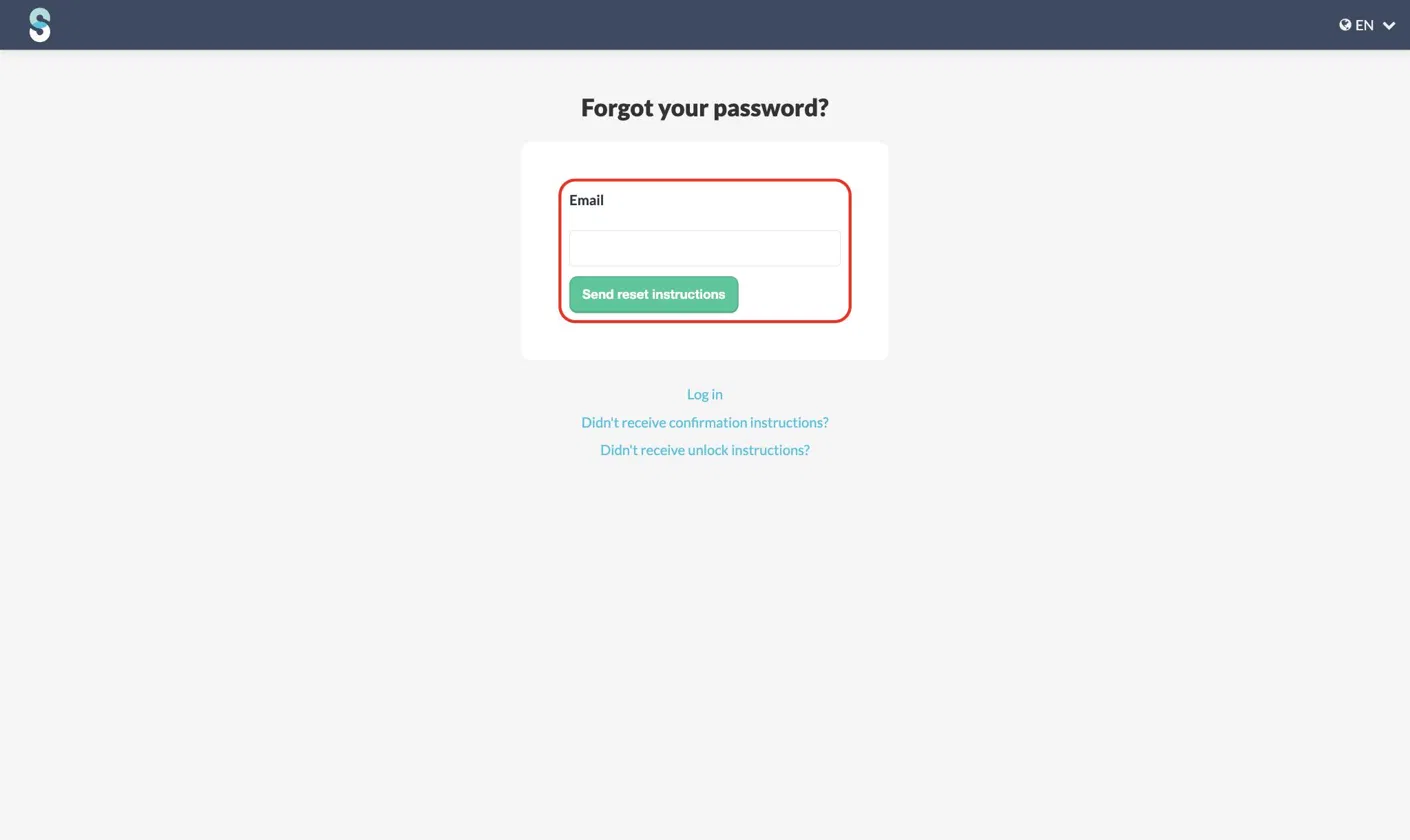
- You will receive an email with further instructions.
What if my firm has moved to Visma Connect?
If your firm has been switched to Visma Connect, do not use the steps above. Password resets for migrated users run through Visma Connect, the account system behind the Silverfin sign-in. See How do I reset my password? (Visma Connect), and What are the password requirements? (Visma Connect) for the rules your new password must meet.
You will not receive an email if your account is inactive. If your account is active and you still do not receive an email, please contact support at support@silverfin.com.